
Turn Your Photo into an Anime Portrait
Turn a portrait into an illustrated image. Choose the linework, shading, and colors, then name the features to keep.
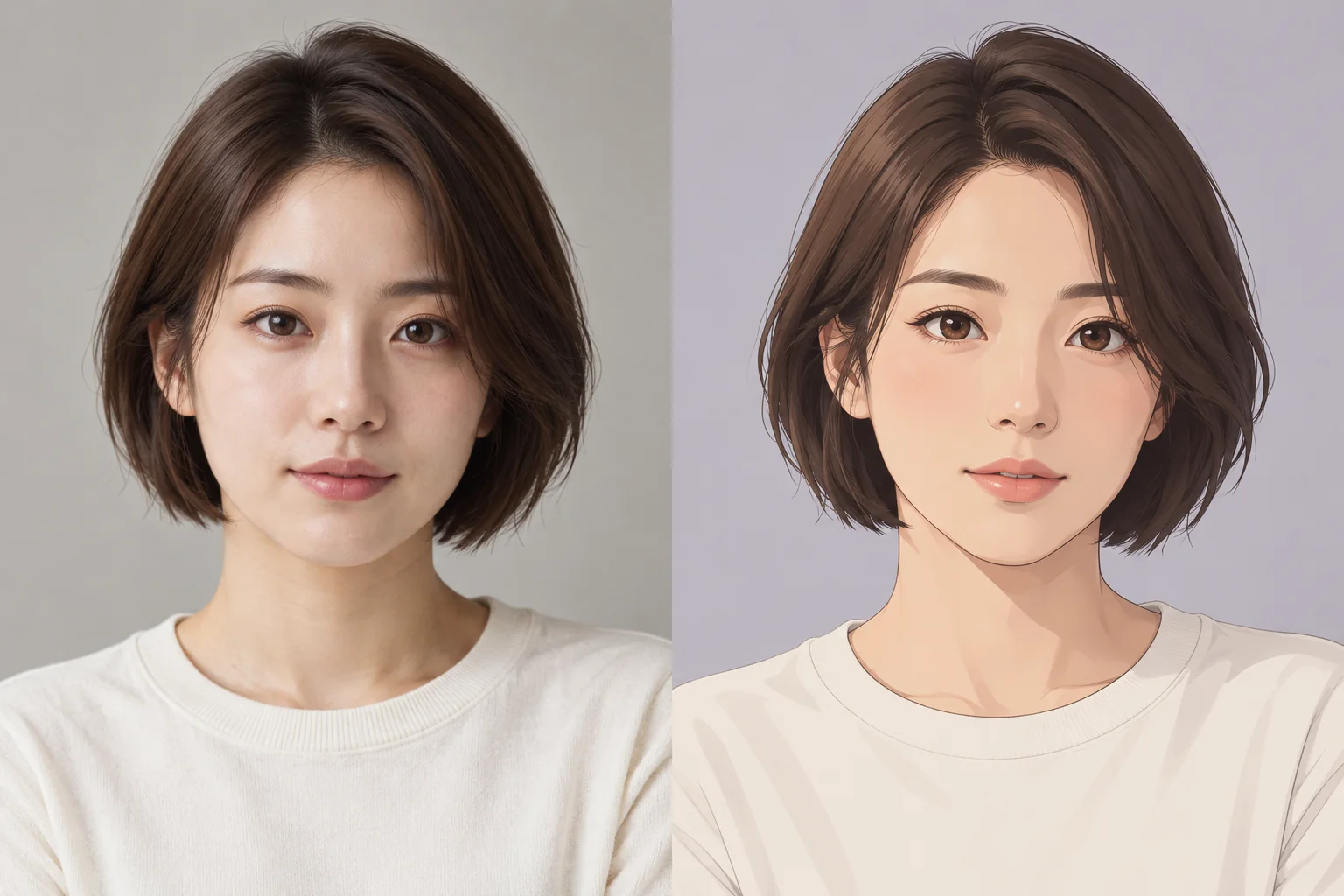 BeforeAfterExample
Turn Your Photo into an Anime Portrait
Upload an image, describe your changes, and generate a new image.
Click to upload or drag and drop
JPG, PNG or WebP · Up to 10 MBChecking generation availability…
No images yet
Your completed images will appear here.
Use your portrait as a reference for an anime-style still image with the pose, hairstyle, and framing you describe.
Choose an anime portrait style
- Clean contours and soft cel-shading for a simple 2D portrait.
- Painted shading and warm colors for a softer illustration.
- A quiet background that keeps attention on the face.
How to create an anime portrait
- 01
Upload a portrait
Use a clear photo with the face, hairstyle, and expression visible.
- 02
Describe the illustration
Choose linework, shading, palette, and the portrait details to keep.
- 03
Check the portrait
Compare the face, apparent age, anatomy, and pose with the source before using the result.
Try this prompt
Redraw this adult portrait as an original 2D anime illustration with clean contours and soft cel-shading. Keep the short dark-brown hairstyle, calm expression, ivory top, pose, and shoulder framing. Use a pale lavender-gray background and keep the subject’s apparent age.
Frequently asked questions
Can I use a selfie as the reference?
Yes. Use a clear portrait you have permission to submit and describe the illustrated treatment you want.
How can I avoid a generic anime look?
Specify the outlines, shading, palette, and mood. Add a short list of recognizable details from your portrait.
Does this create an animation?
No. It creates a still-image direction; this page has no motion or video export.